

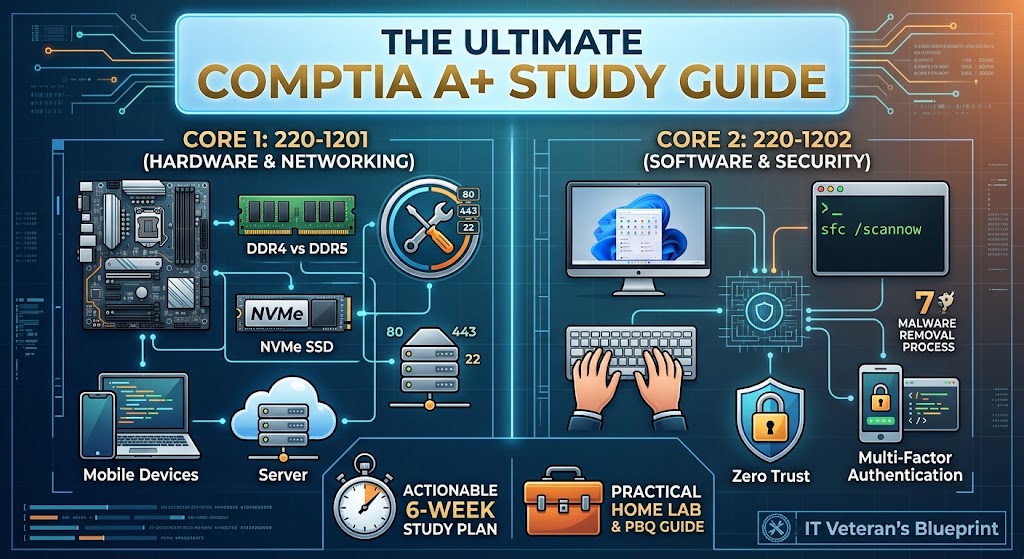
1. Why the CompTIA A+ Still Rules the IT Career Gateway
If you are looking to launch or transition into a career in Information Technology, you have likely heard a dozen different opinions on where to start. Some recommend diving straight into cloud architecture, while others suggest learning Python or jumping directly into cybersecurity.
Having spent over a decade managing technical operations, advising startups, and designing enterprise architectural solutions,I can tell you without hesitation: The fundamental principles matter more than trend-chasing.
The CompTIA A+ certification remains the global benchmark for vendor-neutral technical support credentials. It isn't just a certificate you hang on a wall; it is the ultimate proof that you understand how computers, networks, operating systems, and security concepts interact in the real world.
Whether your long-term goal is to become a Cybersecurity Analyst, a Solutions Architect, or an Infrastructure Engineer, the CompTIA A+ builds the mental model you will rely on every day of your professional life.
2. Decoding the Exam Architecture: Core 1 (220-1201) vs. Core 2 (220-1202)
To earn your CompTIA A+ credential, you must pass two distinct exams. Think of Core 1 as the Physical & Network Layer (the tangible systems and connectivity) and Core 2 as the Logical & Operational Layer (software, security, and administrative workflow).
| Core 1 (220-1201)Hardware & Connectivity | Core 2 (220-1202)Software & Operation |
|---|---|
| Hardware & Mobile Devices (38%) | Operating Systems (28%) |
| Networking & Cloud (34%) | Security & Zero Trust (28%) |
| Hardware Troubleshooting (28%) | Software Troubleshooting (23%) |
| Operational Procedures (21%) |
Core Exam Parameters
- Exam Codes: 220-1201 (Core 1) and 220-1202 (Core 2)
- Number of Questions: Maximum of 90 questions per exam.
- Question Types: Multiple-choice (single and multiple response), Drag-and-Drop, and Performance-Based Questions (PBQs).
- Length of Exam: 90 minutes per exam.
- Passing Score:
- Core 1: 675 out of 900
- Core 2: 700 out of 900
- Recommended Experience: 12 months of hands-on experience in a help desk or technical support role (or equivalent hands-on lab training).
3. What Years in Technical Operations Taught Me
In my role and the many years spent consulting for fast-moving startups, I have personally interviewed, hired, trained, and mentored hundreds of IT professionals.
I often see candidates make two critical mistakes when preparing for the CompTIA A+:
- Relying Solely on Rote Memorization: Memorizing answer keys might help you answer a few multiple-choice questions, but it will cause you to completely freeze when faced with interactive Performance-Based Questions (PBQs) or actual on-the-job troubleshooting scenarios.
- Ignoring the Human and Operational Factor: Many technical candidates ignore domain areas like operational procedures, change management, and ticketing etiquette. In enterprise environments, knowing how to communicate technical issues to non-technical end-users or document a system change is just as important as knowing how to replace a faulty RAM module.
Key Takeaway: When studying for the CompTIA A+, do not just ask yourself "What is the correct answer?" Instead, ask "Why did this component fail, how does it affect the larger environment, and how would I prevent this in an enterprise setting?"
4. Master Domain Deep-Dive & Core Technical Concepts
Domain 1: Mobile Devices, Hardware, & Display Technologies
Hardware is all about understanding system architectures, power budgets, form factors, and signal transmission.
- RAM Technologies: Understand the physical and operational differences between DDR4 and DDR5, including pin counts, operating voltages, and speed ratings. Pay attention to SODIMM (Small Outline Dual In-line Memory Module) form factors used in laptops versus standard DIMMs for desktops.
- Storage Systems: Know the performance delta between traditional HDDs (5400/7200 RPM), SATA SSDs (capped around 550–600 MB/s), and NVMe PCIe SSDs (exceeding 7000 MB/s). Master M.2 keying and bus requirements.
- Power Supply Units (PSU): Know your rail voltages!
- and : Powers logic circuits, memory, and motherboard chips.
- : Powers high-draw components like CPUs, GPUs, and drive motors.
- Displays: Understand the difference between OLED (organic LEDs that generate their own light, giving true blacks) and LCD (requiring backlights such as LED/CCFL). Be prepared to troubleshoot digitizers vs. display panels on mobile devices.
Domain 2: Networking Standards, Protocols, & Infrastructure
Networking is the backbone of modern IT. If you cannot route traffic, your systems are isolated islands.
Critical Ports You MUST Memorize for the Exam
| Protocol | Port Number | Transport | Purpose / Context |
|---|---|---|---|
| FTP | 20 / 21 | TCP | File Transfer Protocol (Command/Data) |
| SSH | 22 | TCP | Secure Shell / SFTP for encrypted remote administration |
| Telnet | 23 | TCP | Unencrypted legacy remote text console |
| SMTP | 25 | TCP | Simple Mail Transfer Protocol (Sending email) |
| DNS | 53 | UDP / TCP | Domain Name System (Resolves Hostnames to IPs) |
| DHCP | 67 / 68 | UDP | Dynamic Host Configuration Protocol (IP Assignment) |
| HTTP / HTTPS | 80 / 443 | TCP | Hypertext Transfer Protocol (Unencrypted / Encrypted TLS) |
| POP3 / IMAP | 110 / 143 | TCP | Post Office Protocol / Internet Message Access Protocol |
| RDP | 3389 | TCP | Remote Desktop Protocol |
| SMB | 445 | TCP | Server Message Block (Windows file & printer sharing) |
Wireless Networking Standards Cheat-Sheet
- 802.11a: , up to
- 802.11b: , up to
- 802.11g: , up to
- 802.11n (Wi-Fi 4): & , up to
- 802.11ac (Wi-Fi 5): only, up to multi-Gbps speeds
- 802.11ax (Wi-Fi 6 / 6E): , , and bands for high-density environments
Domain 3: Virtualization & Cloud Computing Architecture
Modern IT systems run heavily on virtualized infrastructure and cloud resources.
- Hypervisor Types:
- Type 1 (Bare-Metal): Runs directly on physical hardware (e.g., VMware ESXi, Microsoft Hyper-V core, Proxmox). High performance, enterprise standard.
- Type 2 (Hosted): Runs on top of a host operating system (e.g., Oracle VirtualBox, VMware Workstation). Excellent for labs and desktop testing.
- Cloud Service Models:
- IaaS (Infrastructure as a Service): You manage the OS, apps, and data; cloud provider manages hardware/hypervisor (e.g., AWS EC2, Azure VMs).
- PaaS (Platform as a Service): You manage code and data; provider manages OS and runtime (e.g., AWS Elastic Beanstalk, Heroku).
- SaaS (Software as a Service): Fully managed application (e.g., Microsoft 365, Google Workspace).
Domain 4: Hardware & Network Troubleshooting Methodologies
CompTIA has a strict, 6-Step Troubleshooting Process that you must follow on the exam: